Achieve Flawless Audio Conversion with Dante Controller Solutions

You’ve invested in a premium home theater system, yet the audio sounds flat, delayed, or riddled with artifacts every time you switch between your gaming console and Blu-ray player. This frustrating experience plagues countless enthusiasts who struggle to extract clean, high-fidelity audio from HDMI sources. The problem isn’t your speakers or your ears—it’s the signal chain between your source devices and audio output. Audio extraction and conversion technology solves this by separating pristine audio streams from video signals, delivering them in formats your equipment can handle flawlessly. Among the most powerful solutions emerging in both professional and high-end consumer spaces is Dante audio controller technology, which enables networked audio routing with near-zero latency and exceptional clarity. Whether you’re trying to feed a dedicated soundbar from a set-top box or route multi-channel audio to an older AV receiver that lacks HDMI inputs, understanding these tools is essential. This guide walks you through the principles behind Dante controllers and audio extractors, provides hands-on setup instructions, and helps you select reliable products that match your specific needs and budget.
Understanding Dante Audio Controllers and Audio Extractors
A Dante audio controller is a software-based routing system that manages digital audio signals across standard Ethernet networks. Developed by Audinate, the Dante protocol replaces traditional point-to-point analog and digital audio cabling with a flexible, scalable network infrastructure. In professional studios, concert venues, and increasingly in high-end home installations, Dante controllers allow users to route hundreds of audio channels between devices with sample-accurate synchronization and latency as low as 150 microseconds. For electronics enthusiasts, this technology represents a paradigm shift—instead of wrestling with cable runs and format incompatibilities, you configure audio paths through an intuitive software interface.
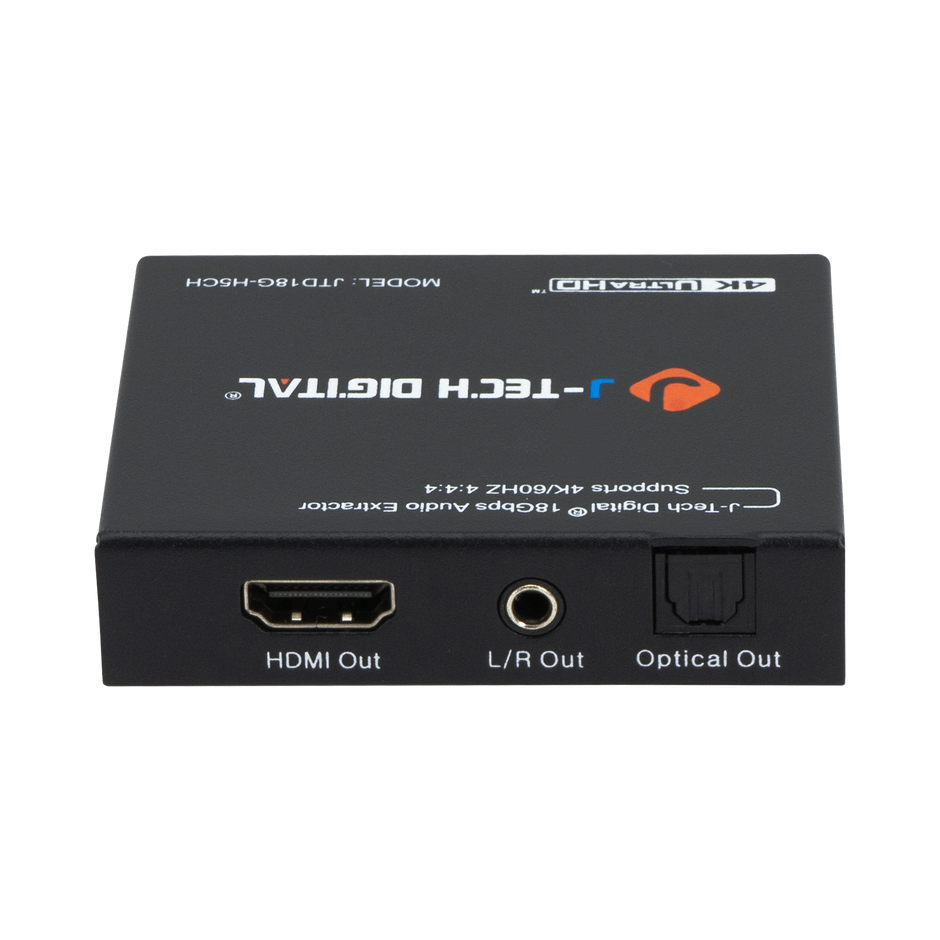
Audio extractors serve a complementary function in this ecosystem. These devices strip audio data from composite signals, most commonly HDMI, and output it in formats like optical TOSLINK, coaxial SPDIF, or analog stereo. When you combine audio extractors with a Dante-enabled system, you gain the ability to pull high-quality audio from any HDMI source and distribute it across a networked infrastructure without degradation. The audio separation process preserves the original bitstream, meaning formats like Dolby Digital and DTS pass through untouched rather than being downmixed or resampled. This matters because every unnecessary conversion introduces potential artifacts, jitter, or latency that diminishes your listening experience.
Key Components and How They Interact
The signal chain typically begins with an HDMI source feeding into an audio extractor, which splits the audio from video. The extracted audio—often delivered via SPDIF (Sony/Philips Digital Interface Format)—then connects to a Dante-enabled interface or converter that places the audio stream onto the network. The Dante controller software running on your computer discovers all networked devices automatically and presents a routing matrix where you assign inputs to outputs with a single click. This architecture means your HDMI converter doesn’t need to be physically adjacent to your amplifier or speakers; as long as both endpoints share the same network, the audio arrives pristinely regardless of distance.
The Role of HDMI to SPDIF Converters in Audio Systems
An HDMI to SPDIF converter acts as a bridge between modern video sources and audio equipment that lacks HDMI connectivity. These devices intercept the HDMI signal, decode the embedded audio stream, and re-output it through a coaxial or optical SPDIF connection while passing the video through to your display unchanged. The conversion process happens in real time, maintaining synchronization between what you see and what you hear. For anyone running a gaming console, streaming stick, or Blu-ray player into an older AV receiver or dedicated DAC that only accepts optical or coaxial input, this HDMI converter eliminates the compatibility gap entirely.
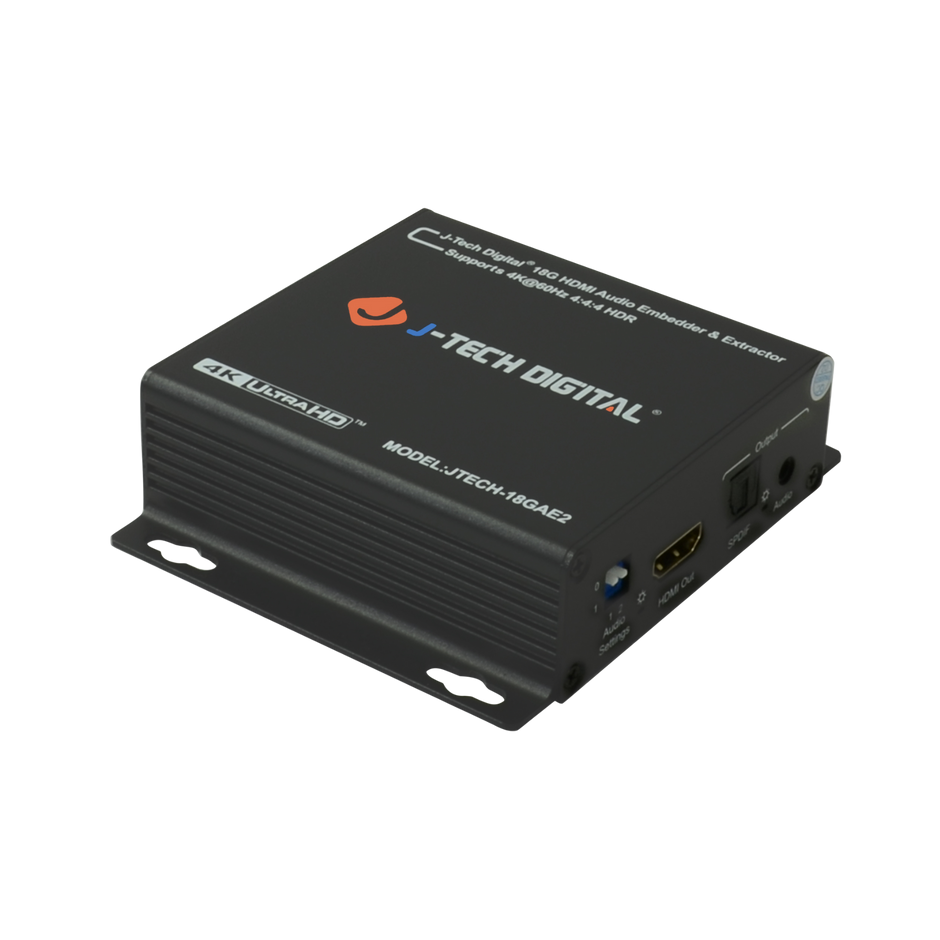
The benefits extend beyond simple connectivity. HDMI carries audio in encrypted, multiplexed form alongside video data, which means most audio equipment cannot directly access it without proper HDCP handshaking and decoding circuitry. A dedicated extractor handles this decoding cleanly, outputting a pure digital audio signal free from the video processing overhead. This preserves signal purity—your receiver or DAC processes only audio data, reducing the chance of interference or processing errors. Common scenarios include feeding a soundbar from a cable box that only has HDMI output, extracting surround sound from a PlayStation for a legacy 5.1 system, or splitting audio from a media PC to feed both a monitor and a separate high-quality amplifier simultaneously.
Technical Specifications to Look For
When evaluating an HDMI to SPDIF converter, prioritize HDMI bandwidth support—devices handling HDMI 2.0 or higher accommodate 4K video passthrough without forcing audio downsampling. Confirm the unit supports passthrough of compressed formats like Dolby Digital 5.1 and DTS rather than only outputting two-channel PCM, as many budget converters silently downmix surround content. Look for HDCP 2.2 compliance to ensure compatibility with protected content from streaming services. Build quality matters significantly; converters with metal enclosures dissipate heat better and resist electromagnetic interference that can introduce jitter into the SPDIF output. Finally, check for EDID management features, which tell your source device what audio formats are available downstream, preventing format negotiation failures that cause silent outputs or unexpected stereo downmixes.
Step-by-Step Guide to Using Audio Extractors Effectively
Getting an audio extractor working properly requires more than plugging in cables and hoping for the best. The difference between a setup that delivers crystal-clear separated audio and one plagued by dropouts, lip-sync delays, or silent channels often comes down to connection order, configuration choices, and understanding how your devices negotiate formats. Following a systematic approach eliminates the guesswork and ensures your Dante controller or standalone extractor performs at its full potential from the first power-on.
Step 1: Hardware Connection and Setup
Begin by powering off all devices in your signal chain—source, extractor, display, and audio receiver. Connect your HDMI source (gaming console, Blu-ray player, or streaming device) to the extractor’s HDMI input using a certified high-speed HDMI cable. Run a second HDMI cable from the extractor’s HDMI output to your television or projector. Next, connect the audio output—optical TOSLINK or coaxial SPDIF—from the extractor to your amplifier, soundbar, or DAC. If you’re integrating with a Dante network, connect the SPDIF output to a Dante-enabled audio interface, then run an Ethernet cable from that interface to your network switch. Use a managed switch that supports multicast filtering for Dante deployments, as consumer-grade unmanaged switches can introduce packet collisions that manifest as clicks or dropouts. Power on devices in sequence: display first, then extractor, then source device. This order allows proper HDCP handshaking and EDID communication, preventing the blank-screen or no-audio failures that frustrate many users during initial setup.
Step 2: Software Configuration and Calibration
Once hardware connections are established, open the Dante Controller software on your networked computer. The application automatically discovers all Dante devices on the network and displays them in a routing matrix. Click the intersection point between your audio input device (the Dante interface receiving SPDIF from your extractor) and your desired output device (a Dante-enabled amplifier, powered speaker, or secondary interface) to establish the route. A green checkmark confirms successful signal flow. For audio format configuration, access your source device’s audio settings and select bitstream output rather than PCM if you want surround sound passthrough to your receiver. Set the extractor’s output mode to match—most units have a physical switch or button toggling between PCM stereo and passthrough modes. Match sample rates between your extractor and Dante interface, typically 48kHz for film and gaming content. If you experience lip-sync delay, add 20-40ms of audio delay compensation in your receiver’s settings, as video processing in modern displays introduces latency that audio paths don’t share. Test with content you know well, listening for channel balance, surround placement accuracy, and any digital artifacts that indicate clock synchronization issues.
Top Reliable Products for Audio Conversion
Choosing the right audio conversion hardware can feel overwhelming given the sheer number of options available, but narrowing your search by use case and integration requirements simplifies the decision considerably. The market breaks down into three distinct categories: Dante-enabled audio interfaces for networked deployments, standalone HDMI to SPDIF converters for straightforward extraction, and hybrid solutions that bridge both worlds. Each category serves different budgets and complexity levels, so understanding where your setup falls helps you invest wisely without overspending on features you won’t use or underspending on capabilities you’ll need six months from now.
For Dante-specific deployments, Audinate’s own reference designs power many third-party devices from manufacturers like Focusrite, Yamaha, and Shure. These interfaces accept various digital audio inputs—including SPDIF from your HDMI extractor—and place them onto the Dante network with rock-solid clock synchronization. Home theater enthusiasts who want multi-room audio distribution benefit enormously from these devices because a single Ethernet cable replaces multiple analog runs while maintaining bit-perfect audio delivery. When evaluating options, prioritize units with redundant network ports for failover protection and low round-trip latency specifications.
Product Categories and Recommendations
In the standalone HDMI converter category, look for devices from established brands that specialize in signal management rather than generic unbranded units. Companies like J-Tech Digital Inc, which focuses on AV transmission and processing equipment, produce converters with superior EDID handling, more stable HDCP negotiation, and cleaner clock recovery on the SPDIF output—factors that directly impact whether you experience dropouts or format switching glitches during use. Premium models typically include features like selectable EDID profiles, LED indicators showing active audio format, and firmware update capability for addressing future compatibility issues with new source devices. Budget-friendly converters work adequately for basic two-channel extraction from a single source, but if you need reliable surround sound passthrough or plan to switch between multiple 4K sources, investing in a mid-range or premium unit pays dividends in reliability and sound quality. Read user reviews specifically mentioning your source device type—compatibility between specific gaming consoles or streaming devices and particular extractors varies more than spec sheets suggest, and real-world feedback reveals issues that lab testing misses.
Advanced Tips for Audio Separation and Quality Enhancement
Once your basic extraction chain is working reliably, several advanced strategies can push audio separation quality further. Dedicate a VLAN exclusively to Dante traffic on your network switch, isolating audio packets from general household data and eliminating potential congestion that causes micro-dropouts during bandwidth-heavy streaming sessions. For multi-room deployments, use Dante’s multicast flow capabilities to send a single audio stream to multiple endpoints simultaneously without duplicating bandwidth at the source. Clock management becomes critical in complex systems—designate one device as the Preferred Master clock and ensure all others sync to it, preventing the subtle phase drift that smears stereo imaging. If you’re running multiple HDMI extractors for different source zones, normalize their output levels using the Dante interface’s gain staging before signals hit your amplifiers, maintaining consistent volume as you switch between rooms or sources. Future-proof your installation by choosing Dante devices that support AES67 interoperability, ensuring compatibility with emerging networked audio standards beyond Audinate’s ecosystem.
Building Your Optimal Audio Extraction and Routing System
Achieving flawless audio conversion from HDMI sources no longer requires compromise or frustration. By understanding how Dante audio controllers manage networked signal routing and how audio extractors cleanly separate sound from video, you gain complete control over your audio chain. The combination of reliable HDMI to SPDIF converters with Dante’s software-defined routing eliminates format incompatibilities, reduces latency to imperceptible levels, and preserves the original audio quality your source devices are capable of delivering. The step-by-step approach outlined here—from proper hardware connection sequencing and EDID management to software configuration and clock synchronization—gives you a repeatable framework for any installation, whether it’s a single-room home theater or a multi-zone distributed system.
The product landscape offers solutions at every budget level, and investing in quality extraction hardware pays for itself through years of trouble-free operation. As networked audio standards like Dante and AES67 continue maturing, the systems you build today will integrate seamlessly with tomorrow’s devices. Take the next step by auditing your current signal chain, identifying where audio quality degrades, and applying these principles to transform your listening experience from acceptable to exceptional.







Post Comment