How Teams Should Collect TikTok User Data and Video Metrics Without Breaking Their Reporting Workflow
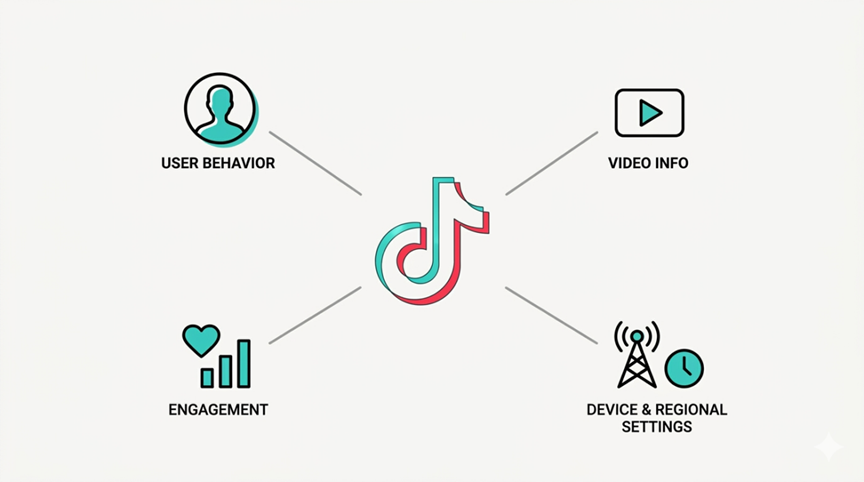
A TikTok report usually looks simple from the outside.
Someone wants a creator’s follower count. Someone else wants video views, likes, comments, and shares. A marketing team wants to compare creators before a campaign. A data team wants to build a dashboard that updates every morning. Then the first developer opens the API documentation and realizes the real problem is not “how do we get TikTok data?”
The real problem is: which TikTok data can we get reliably, how often can we refresh it, and what happens when the data source does not match the reporting need?
That is where many TikTok analytics projects go wrong. Teams start by pulling whatever data is easiest to access, then try to force that data into a reporting system later. A better approach is to design the workflow around the decision the data needs to support.
For a deeper technical breakdown of available methods, KeyAPI has a useful guide on how to fetch TikTok user data and video metrics via API. This article focuses on the practical planning side: what to collect, what to avoid, and how to keep the workflow useful after the first test succeeds.
Start with the business question, not the endpoint
Before choosing an API route, define what the team is trying to answer.
A creator discovery team may ask: which creators are growing fast enough to be worth contacting?
A campaign team may ask: which videos drove the strongest engagement during the promotion window?
A product team may ask: which TikTok accounts or videos should appear inside our internal dashboard?
A social listening team may ask: which videos or accounts are starting to move around a keyword, product, or topic?
Those questions require different fields, different refresh schedules, and different levels of reliability.
| Business question | Useful data | Workflow needed |
| Is this creator worth tracking? | Profile metrics, follower count, total likes, video count | Profile lookup and snapshots |
| Did this campaign work? | Video views, likes, comments, shares, publish time | Video metric tracking |
| Is this account growing? | Follower count over time | Historical snapshots |
| Which videos are outliers? | Recent video metrics vs historical average | Benchmarking logic |
| Can this support a dashboard? | Stable fields, repeatable refresh, error handling | Production data pipeline |
If the team cannot explain the decision, the API project will usually drift into “collect everything.” That sounds powerful, but it often creates noisy reports and unnecessary engineering work.
User data and video metrics are not the same workflow
TikTok user data and TikTok video metrics often appear in the same report, but they behave differently.
User data is account-level. It may include profile identifiers, display name, avatar, bio, profile link, follower count, total likes, or video count, depending on the access route and provider.
Video metrics are content-level. They usually include video ID, caption or description, publish time, duration, cover image, URL, views, likes, comments, shares, and sometimes saves or other engagement fields.
The difference matters because user data helps answer “who is this account?” while video metrics answer “how is this content performing?”
A good reporting workflow usually needs both.
What teams usually need from TikTok user data
Most teams do not need every possible profile field. They need a small set of stable fields that can support filtering, comparison, and tracking.
For creator analysis, the most useful profile fields are usually:
- Username or unique profile identifier
- Display name
- Profile URL
- Avatar or profile image
- Bio text
- Follower count
- Following count, if available
- Total likes
- Video count
- Verification status, if available
- Last checked timestamp
These fields are useful because they let the team build a creator profile, compare accounts, and store changes over time.
The timestamp is important. Without timestamps, follower count is only a number. With timestamps, it becomes a trend.
What teams usually need from TikTok video metrics
For video-level analysis, teams usually need:
- Video ID
- Video URL
- Caption or description
- Publish time
- Duration
- Cover image
- View count
- Like count
- Comment count
- Share count
- Creator identifier
- Collection timestamp
Again, the timestamp is not optional. TikTok performance changes quickly. A video may look average in the first few hours and become an outlier later. If the system only stores the latest value, the team loses the story of how the video grew.
The reporting mistake: treating API responses as finished analytics
An API response is not a report. It is raw material.
A useful TikTok report usually needs calculated metrics, not just raw counts.
For example:
| Metric | Formula | Why it helps |
| Engagement rate by views | (Likes + Comments + Shares) / Views | Shows how strongly viewers reacted |
| Views per follower | Views / Follower count | Shows whether a video reached beyond the existing audience |
| Comment rate | Comments / Views | Helps identify discussion-heavy videos |
| Share rate | Shares / Views | Helps find content people wanted to pass along |
| Growth velocity | Follower change over time | Shows account momentum |
These metrics are more useful than raw views alone because they help compare accounts of different sizes.
A creator with 50,000 followers and 400,000 views on a video may be more interesting than a creator with 2 million followers and 500,000 views. Raw numbers hide that. Ratios reveal it.
Build snapshots from the beginning
A common mistake is waiting too long to store historical data.
Teams often start with live lookups. The dashboard shows the latest follower count and latest video views. That looks fine until someone asks: how much did this account grow last week?
If the system did not store yesterday’s data, there is no answer.
A practical snapshot table can be simple:
| Date | Creator | Followers | Total likes | Video count | Notes |
| Monday | creator_a | 81,200 | 2,430,000 | 214 | Baseline |
| Tuesday | creator_a | 82,050 | 2,481,000 | 215 | New video posted |
| Wednesday | creator_a | 84,900 | 2,610,000 | 215 | Video started trending |
The same should be done for videos:
| Date | Video ID | Views | Likes | Comments | Shares |
| Day 1 | video_001 | 12,400 | 820 | 44 | 91 |
| Day 2 | video_001 | 48,900 | 3,400 | 180 | 522 |
| Day 3 | video_001 | 133,000 | 9,800 | 620 | 1,900 |
This is where TikTok data becomes useful for reporting, not just display.
Decide how often the data should refresh
Not every TikTok metric needs the same refresh schedule.
A new video may need frequent checks in the first 24-72 hours. An older video may only need daily or weekly refreshes. A creator profile may need daily tracking if it is part of an active campaign, but weekly tracking may be enough for a long-term watchlist.
A practical refresh plan might look like this:
| Data type | Suggested refresh | Reason |
| New campaign videos | Every few hours | Early movement matters |
| Older videos | Daily or weekly | Metrics change more slowly |
| Active creators | Daily | Useful for growth tracking |
| Archived creators | Weekly or monthly | Lower priority |
| Client reports | Before report generation | Ensures numbers are current |
The goal is not to pull data as often as possible. The goal is to refresh often enough for the decision being made.
When official access is enough
Official API routes are useful when the workflow is based on authorized account access and the required fields are supported.
For example, a creator management tool where users connect their own accounts may fit an official user-consented workflow. A brand dashboard for a company’s own content may also fit a direct platform route.
Official access is usually the cleanest path when:
- The user owns or manages the account.
- The user can authenticate and grant permission.
- The required fields are available.
- The workflow is not trying to monitor many unrelated public accounts.
- Compliance and platform alignment are the top priority.
If the workflow fits those conditions, do not overcomplicate it.
When a third-party API workflow makes more sense
A third-party API becomes more practical when the team needs broader TikTok data, repeatable reporting, or cross-platform comparison.
This is common for influencer platforms, market research tools, brand monitoring systems, creator discovery products, and analytics dashboards.
A service like KeyAPI’s TikTok API can be useful when the team needs TikTok user data, video metrics, creator intelligence, product-related data, or repeatable data access without building every integration from scratch.
This does not mean every project needs a third-party API. If the team only needs a small authenticated integration, official access may be enough. But if the goal is ongoing data collection across many accounts or videos, the operational cost of maintaining the workflow becomes much more important.
What to check before choosing a TikTok data provider
Do not choose a provider only because it can return a sample response.
A sample response proves that data can be returned once. It does not prove that the data can support reporting.
Before choosing a provider, check:
- Which fields are available?
- Are profile metrics and video metrics both supported?
- Can the same request be repeated reliably?
- How fresh is the data?
- Are there rate limits or credit limits?
- Is there clear documentation?
- What happens when a request fails?
- Can the data be used in dashboards or automated reports?
- Does the provider support other platforms if your workflow expands?
For teams that need more than TikTok, a broader API directory such as KeyAPI can reduce the need to maintain separate integrations for every social platform.
A simple workflow that works in real projects
A practical TikTok data workflow should not be complicated at the start.
Use this sequence:
- Define the decision the data supports.
- List the exact fields needed.
- Separate profile data from video data.
- Pull a small test sample.
- Store every response with a timestamp.
- Calculate engagement and growth metrics from snapshots.
- Set refresh schedules based on content age and campaign needs.
- Add alerts only after the data is stable.
- Review failed requests weekly.
- Expand only after the first workflow is reliable.
This is slower than hacking together one script, but it prevents the project from turning into a fragile spreadsheet machine.
Final thought
Fetching TikTok user data and video metrics is not difficult because the numbers are mysterious. It is difficult because teams often skip the planning step.
They ask for “TikTok data” before deciding whether they need profile data, video data, growth data, campaign data, or creator intelligence.
A better workflow starts with the decision, then maps the fields, then chooses the access route. If the project only needs authenticated account data, official APIs may be enough. If the project needs repeatable reporting across many creators, videos, or platforms, a stable API provider becomes much more useful.
The best TikTok data workflow is not the one that returns the most fields. It is the one that keeps returning the right fields when the report is due.








Post Comment